

@blame or using slash commands.
Whether you need clarification on a suggested fix, want to ask how a diff interacts with a legacy backend service, or want to trigger a fresh review run, Blame responds natively in your GitHub conversation.
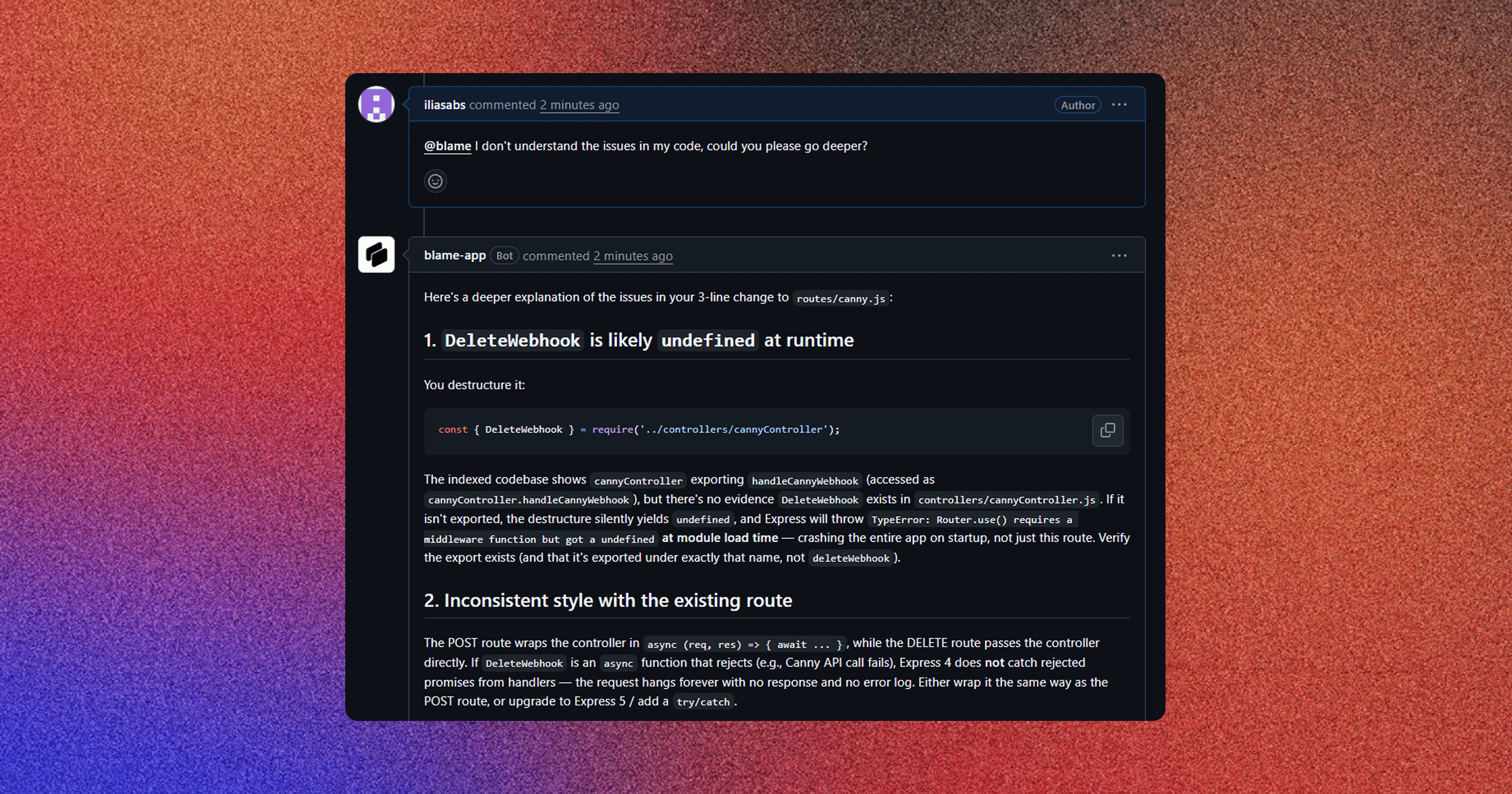
Conversing with @blame on GitHub
You can tag @blame anywhere on GitHub pull requests:
- Top-Level PR Discussion Comments (
issue_comment): Ask high-level architectural questions about the overall pull request. - Inline Diff Threads (
pull_request_review_comment): Ask specific questions anchored to a file path, line number, or diff hunk.
How Blame Resolves PR Context
When you tag@blame, Blame’s webhook handler reconstructs the full context surrounding your comment before invoking the chat agent:
Context Elements Passed to the Agent
- Exact File & Line: Identifies the specific file path (
comment.path) and line number (comment.line). - Diff Hunk: Provides the surrounding lines of added/removed code (
comment.diff_hunk). - Thread History: Pulls the last 5 comments from the thread so multi-turn conversations stay coherent.
- Codebase Index: The agent queries the repository’s Tree-sitter vector graph to check definitions across other files.
Available Slash Commands
You can execute review actions directly by posting slash commands in the PR comment box:Inline Thread Discussions
When Blame leaves an inline finding with a 1-click suggestion, developers can reply directly in that comment thread to debate or refine the solution:Webhook Security & Execution Flow
- Zero Polling: Blame listens asynchronously to GitHub
issue_commentandpull_request_review_commentevents via signed HMAC webhooks (x-hub-signature-256). - Installation Scoping: Permissions and repository access tokens are automatically verified using the GitHub App installation credentials for your workspace.
- Fast Response: Chat agent reasoning is queued immediately to deliver replies back to GitHub within seconds.
Related Documentation
- Review Architecture & Anatomy — Detailed breakdown of PR summary comments and inline suggestions.
- CI/CD Quality Gates & Status Checks — Enforcing status check criteria in branch protection rules.
- AI Chat & Codebase Memory — Interactive multi-repo web chat interface.