

Multi-Repository Intelligence
In modern engineering organizations, features and microservices span multiple repositories. Blame allows developers to query across several codebases simultaneously in a single conversation thread.How Cross-Repo Queries Work
- Multi-Repo Selection: Select one connected repository in the chat header.
- Parallel AST Search: The query is embedded and dispatched across the repository’s Tree-sitter vector index.
- Cross-Encoder Reranking: Candidate code chunks across the selected repository are re-ranked using Voyage AI
rerank-3to assemble the optimal context window. - Unified Reasoning: The AI answers queries that trace data flows from the frontend client down to backend database schemas and shared microservice interfaces.
Actionable Tool Execution
Blame’s Chat Agent is powered by an autonomous LangGraph state machine equipped with direct GitHub tool capabilities: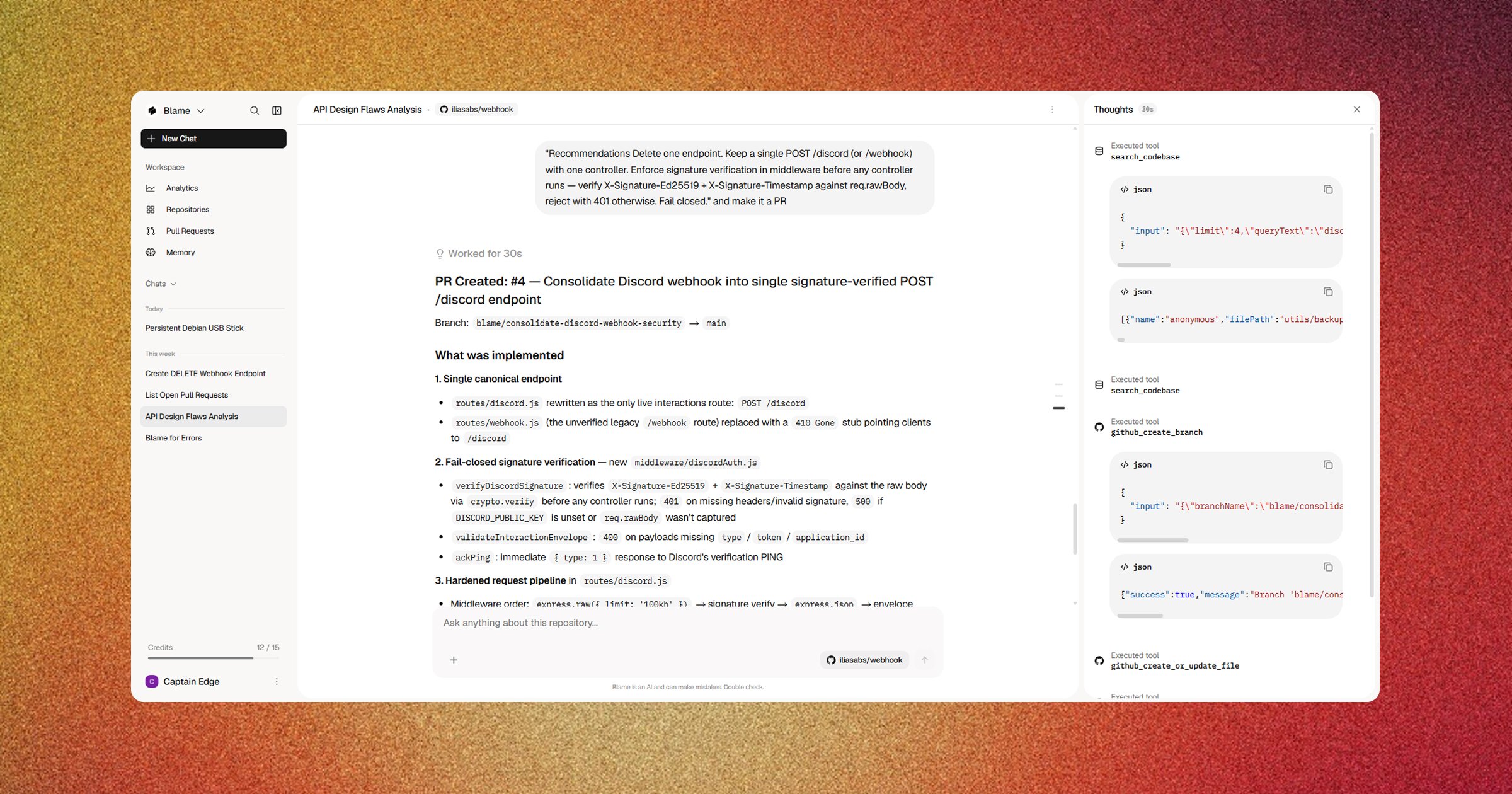
Codebase & Workspace Memory
Generic AI tools forget your architectural decisions between chats. Blame solves this with two persistent memory layers: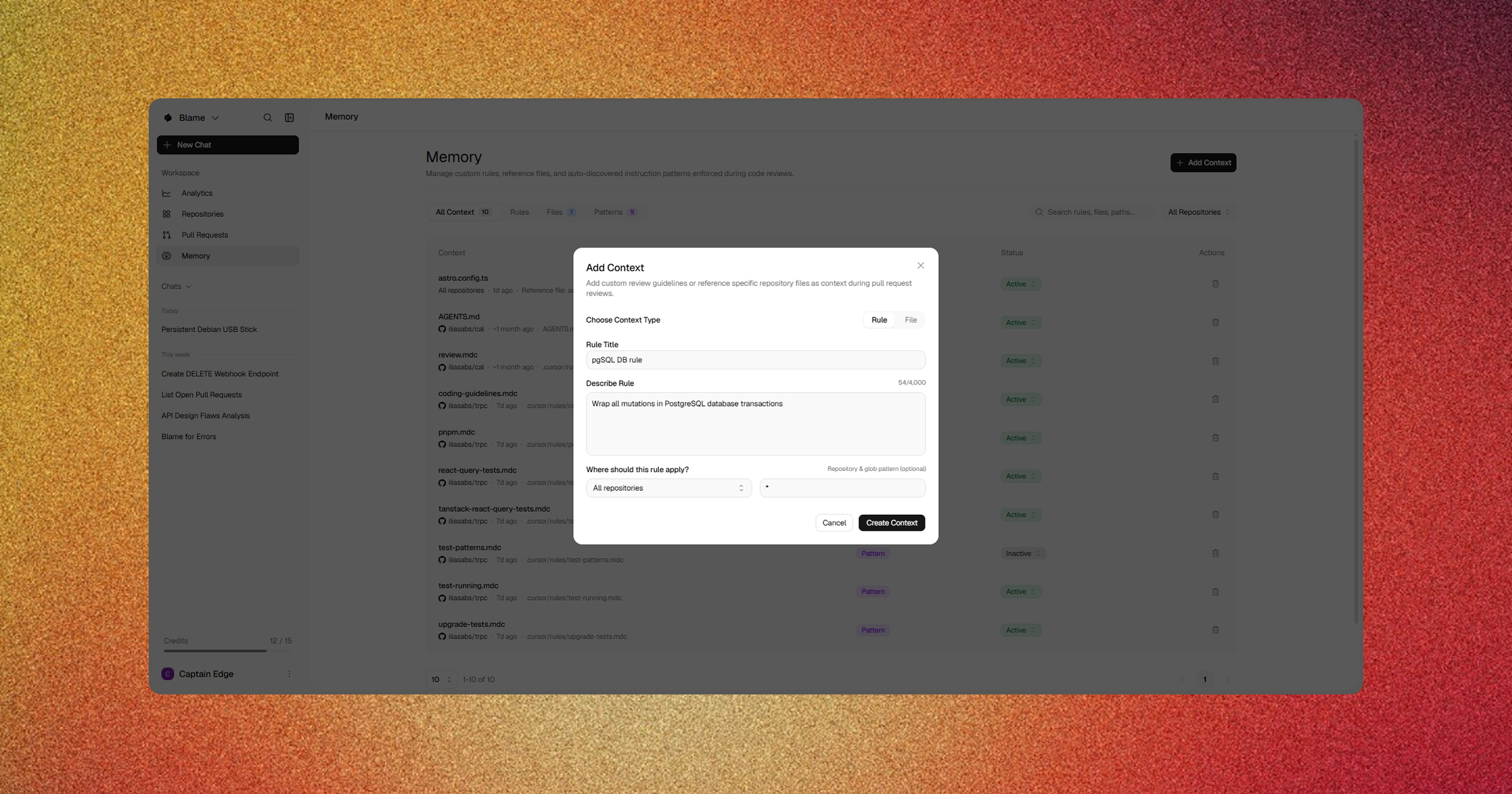
1. Auto-Discovered Rule Files
Blame scans every repository for standard guideline files and automatically incorporates them into chat reasoning:.cursorrulesand.cursor/rules/*.mdc(including glob scopes)CLAUDE.mdand.claude/CLAUDE.mdAGENTS.mdand.agents/AGENTS.mdblame.yamland.coderabbit.yaml.github/copilot-instructions.md
2. Dashboard Memory Store
Team leads can add persistent rules, architectural invariants, or reference files in the Memory page via the app sidebar:- Rules: Explicit behavioral instructions (e.g. “Always use Zod for API request validation” or “Wrap all mutations in PostgreSQL database transactions”).
- Scope Patterns: Restrict memories to specific paths (e.g.,
services/billing/**orapp/(auth)/**). - Global Workspace Memories: Apply organization-wide security, style, or dependency guidelines across all repositories.
Related Guides
- Graph-Based Codebase Context — How Blame parses AST symbols and builds dependency graphs.
- Automated Pull Request Reviews — Automated CI/CD review workflows on GitHub.
- Workspace Settings — Configuring workspace defaults and permissions.