

- Open the Blame dashboard and navigate to Settings.
- Under the Code Review section in the left sidebar, select Strictness.
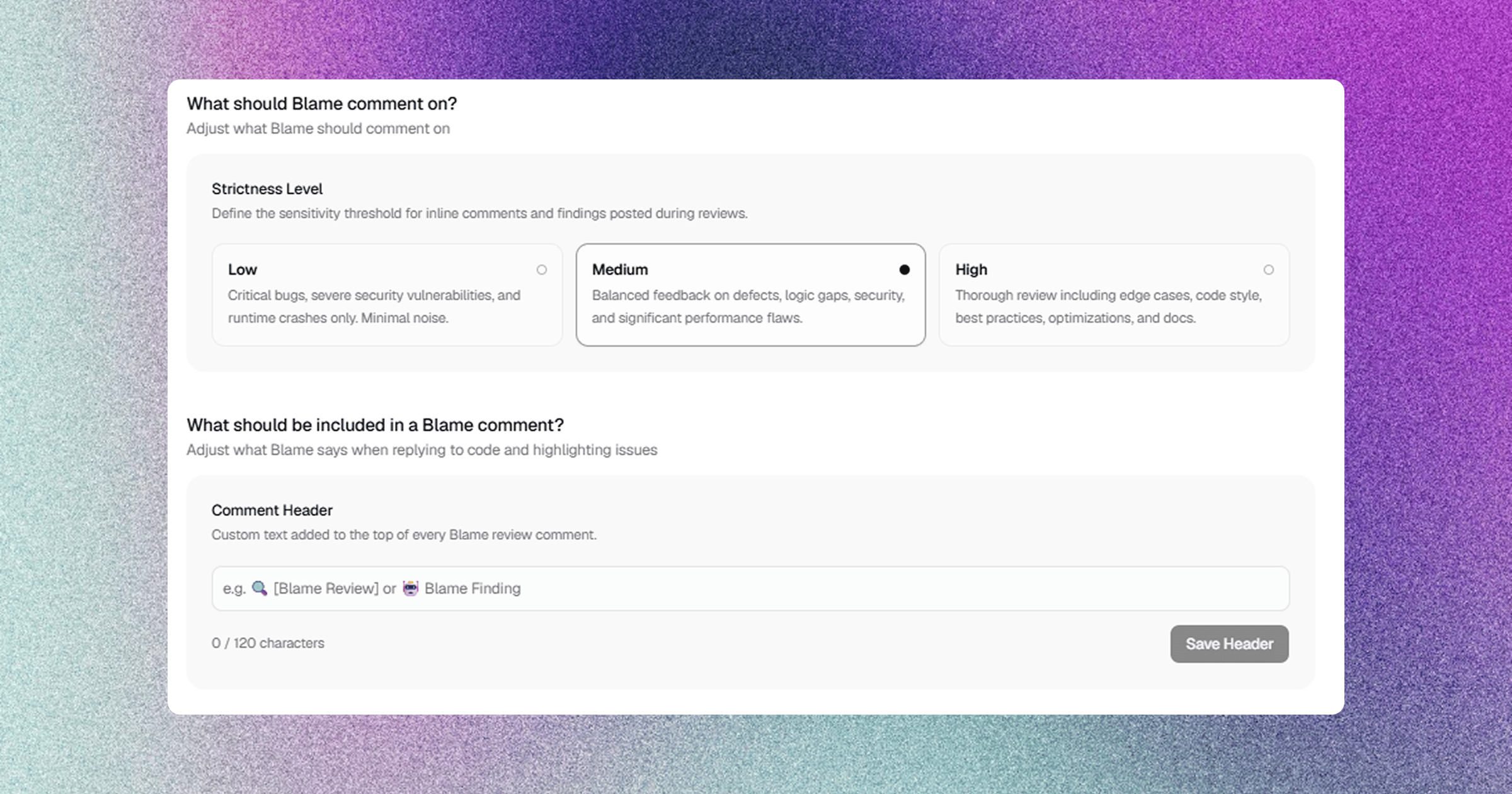
1. Review Strictness Levels
The strictness level determines how aggressively Blame evaluates pull request diffs and what category of findings it surfaces.2. Modular PR Summary Sections
Blame allows you to customize the layout of the top-level PR summary comment. Each section can be independently Enabled/Disabled, set as Collapsible (<details>), and configured to be Default Open or Default Closed.
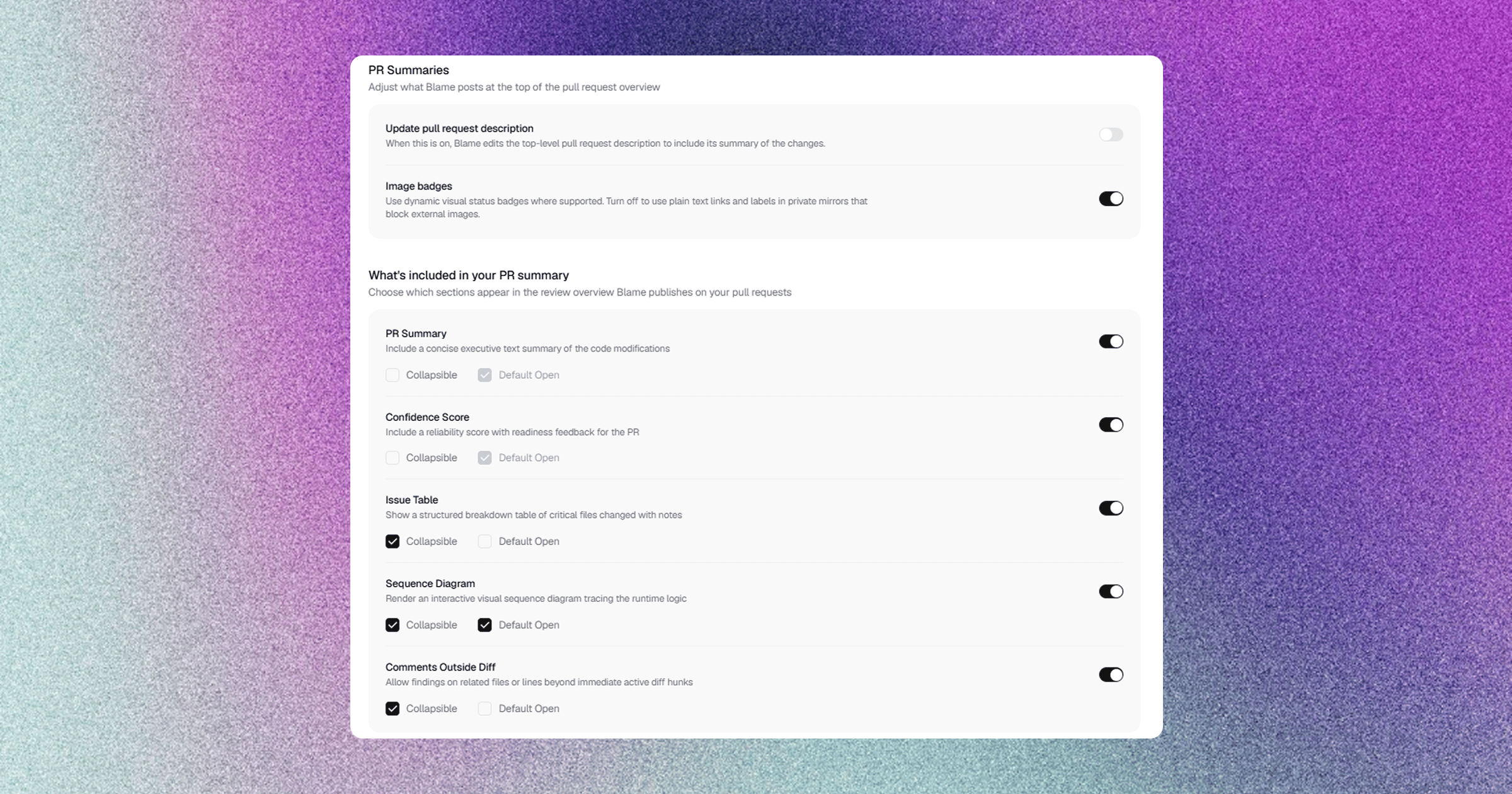
Summary Customization Options
- Update PR Description: Option to append or sync the executive review summary directly into GitHub’s initial PR description box.
- Image & Confidence Badges: Toggle rendered visual status badges for confidence scores in PR comments.
3. Custom Review Comment Header
You can configure a custom header (up to 120 characters) prepended to the top of all review summaries and inline comments.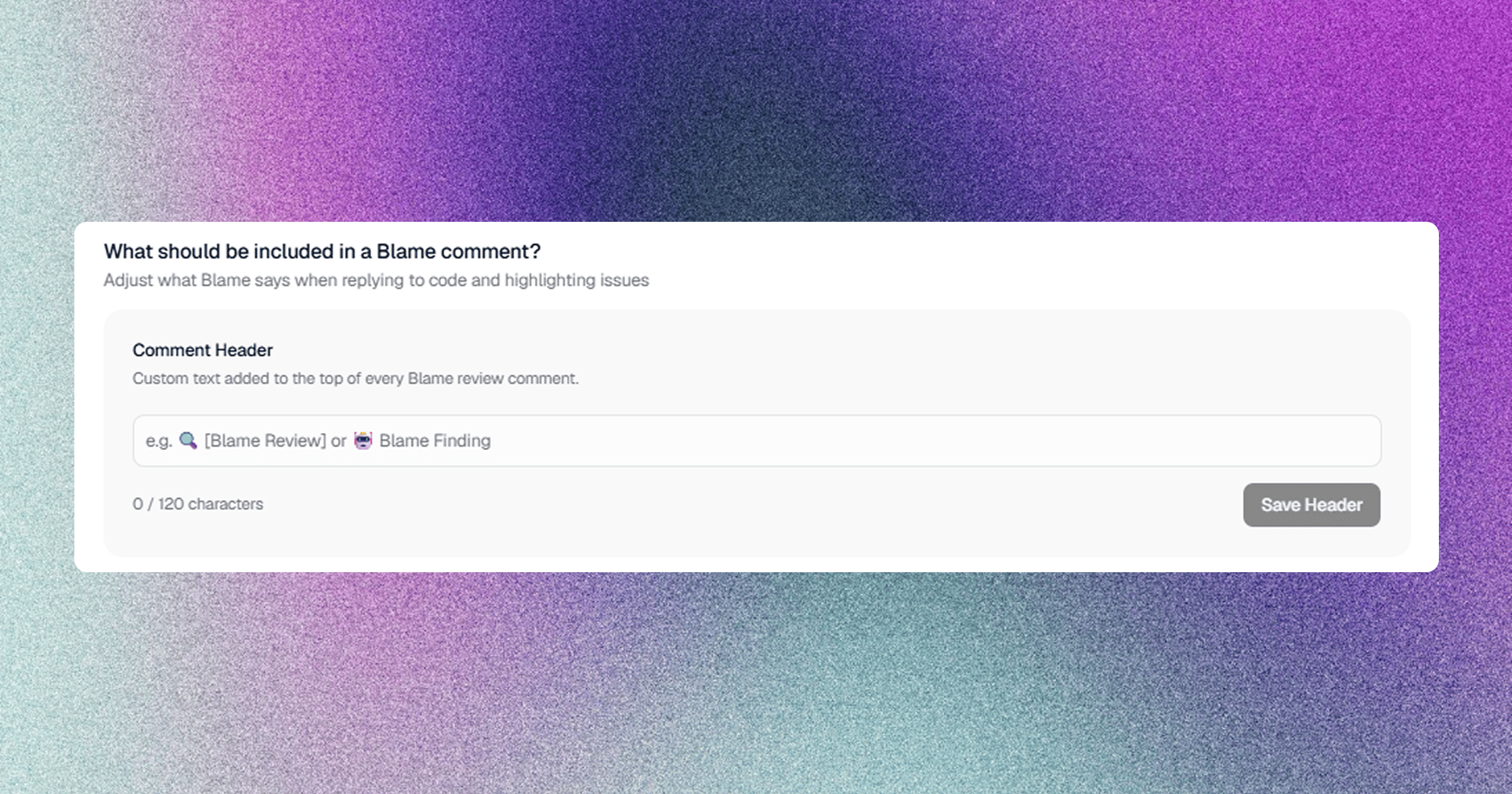
Examples
🤖 Blame Engineering Gate🛡️ Security & Architecture Review⚡ Acme Corp Automated CI Review
4. Custom Natural Language Review Instructions
You can provide workspace-level or repository-specific instructions (up to 4,000 characters) to enforce team-specific conventions and guidelines.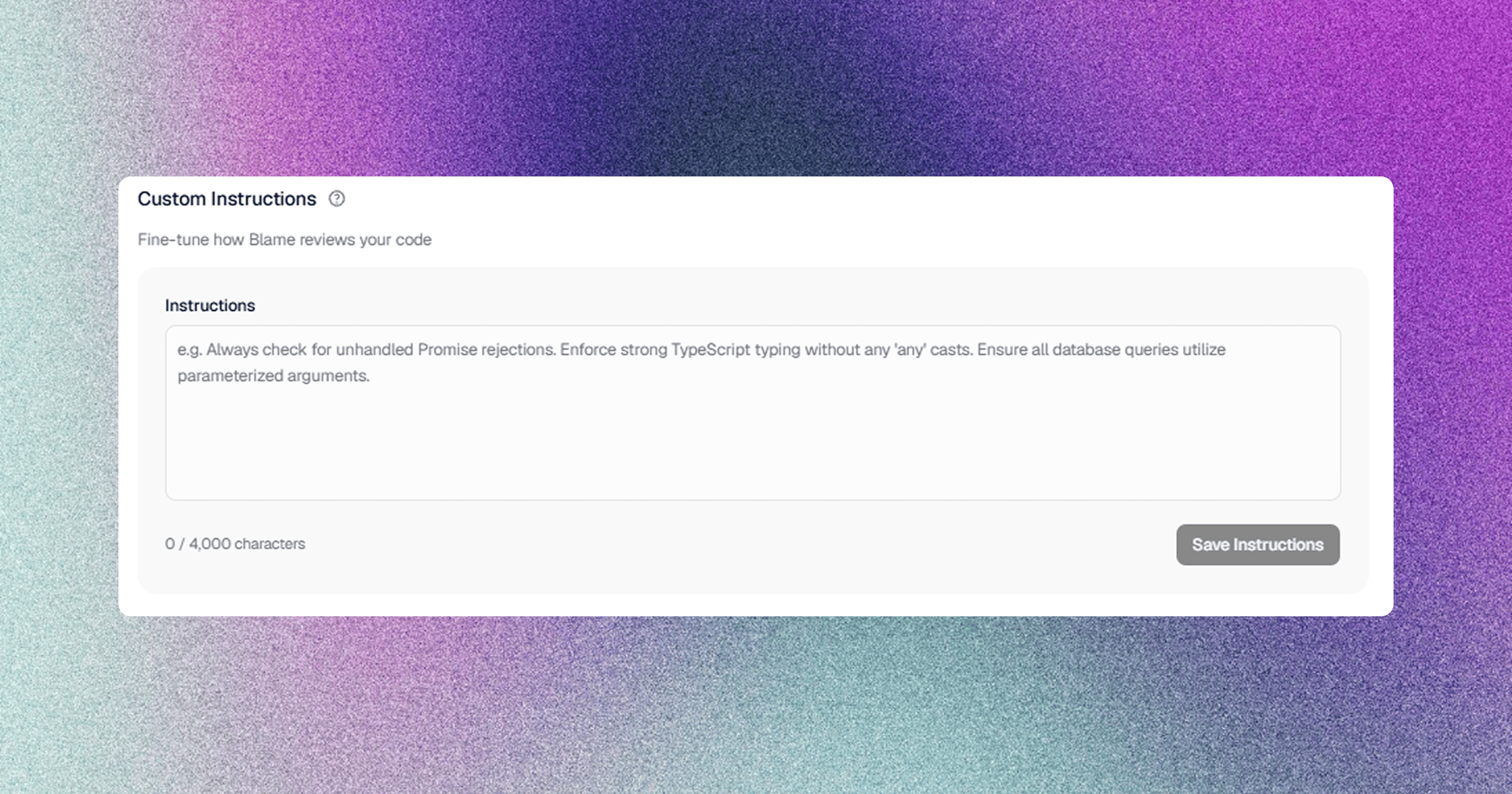
Example Instruction Guidelines
In addition to custom instructions in the dashboard, Blame automatically discovers and respects
.cursorrules, CLAUDE.md, AGENTS.md, and blame.yaml in your repository.5. Review Trigger Controls
Control when and how Blame evaluates code changes.Auto-Review New Commits (auto_review_new_commits)
- Enabled (Default): Automatically re-evaluates the PR and updates the summary whenever a developer pushes new commits (
synchronizewebhook event). - Disabled: Reviews run only on initial PR creation or when manually triggered via slash commands.
Review Draft Pull Requests (review_draft_prs)
- Disabled (Default): Ignores draft PRs until they are converted to “Ready for review”.
- Enabled: Instantly analyzes draft PRs to provide early feedback during development.
Related Documentation
- Review Architecture & Anatomy — Complete anatomy of review summaries and inline comments.
- CI/CD Quality Gates & Status Checks — Enforcing confidence thresholds in branch protection rules.
- Auto-Approve Low-Risk Pull Requests — Automating low-risk PR merges.