> ## Documentation Index
> Fetch the complete documentation index at: https://docs.getblame.com/llms.txt
> Use this file to discover all available pages before exploring further.
# Workspaces Overview
## What is a Workspace?
A **Workspace** in Blame is the primary boundary for managing collaboration, code intelligence, repositories, and billing. Workspaces keep team assets isolated and ensure your AI assistant, wiki knowledge bases, code reviews, and integrations operate within the exact context of your team or project.
### Core Capabilities
* **Repository Context & Indexing:** Connect GitHub repositories and grant workspace-level indexing for pull requests, chats, and automated wikis.
* **Team Collaboration & RBAC:** Invite teammates with dedicated roles (`Owner`, `Admin`, `Member`) and control invite permissions.
* **Shared AI Knowledge & Memory:** Maintain workspace-level memory, rules, custom instructions, and architecture wikis accessible to all members.
* **Centralized Billing & Usage:** Manage subscriptions, seat allocations, token quotas, and aggregated credit usage across the team.
***
## Workspace Hierarchy & Scoping
Blame uses an organizational hierarchy to isolate permissions, data, and access:
```mermaid theme={null}
graph TD
User([User Account])
WS1[Workspace: Engineering]
WS2[Workspace: Personal Projects]
User -->|Owner| WS1
User -->|Member| WS2
WS1 --> Repos[Connected Repositories]
WS1 --> Team[Members & Roles]
WS1 --> AI[AI Context & Memory]
WS1 --> Bill[Plan & Credit Pools]
WS1 --> Integrations[Slack / Linear / Discord]
```
### Key Scoped Resources
| **Resource** | **Scope** | **Description** |
| :- | :- | :- |
| **Repositories** | Workspace-wide | Indexed codebase ASTs, embeddings, PR webhooks, and wikis. |
| **Chat & Agent Threads** | Workspace-scoped | Blame chats run against the active workspace context and repos. |
| **Credits & Billing** | Workspace-wide | Starter, Pro, and Max subscription tiers and credit pools are shared across workspace members. |
| **Integrations** | Workspace-wide | Connected Slack channels, Linear teams, and Discord bots notify members within that workspace. |
| **API Keys** | Workspace-wide | Keys generated within a workspace inherit that workspace's authorization and rate limits. |
***
## Workspace Roles & Permissions
Every member in a workspace is assigned a role that determines their administrative capabilities:
| **Permission / Action** | **Owner** | **Admin** | **Member** |
| :- | :- | :- | :- |
| Access Workspace Repositories & Chat | Yes | Yes | Yes |
| Trigger PR Reviews & Wiki Generation | Yes | Yes | Yes |
| Invite New Members *(if enabled by settings)* | Yes | Yes | Yes\* |
| Connect / Disconnect Repositories | Yes | Yes | No |
| Manage Integrations (Slack, Linear, Discord) | Yes | Yes | No |
| Generate & Revoke Workspace API Keys | Yes | Yes | No |
| Change Member Roles & Remove Members | Yes | Yes | No |
| Manage Billing, Subscriptions & Invoices | Yes | Yes | No |
| Rename Workspace or Update Logo | Yes | Yes | No |
| Transfer Workspace Ownership | Yes | No | No |
| Delete Workspace | Yes | No | No |
Members can only invite new users if the **Allow Member Invites** toggle is turned on in Workspace Settings.
***
## Switching Between Workspaces
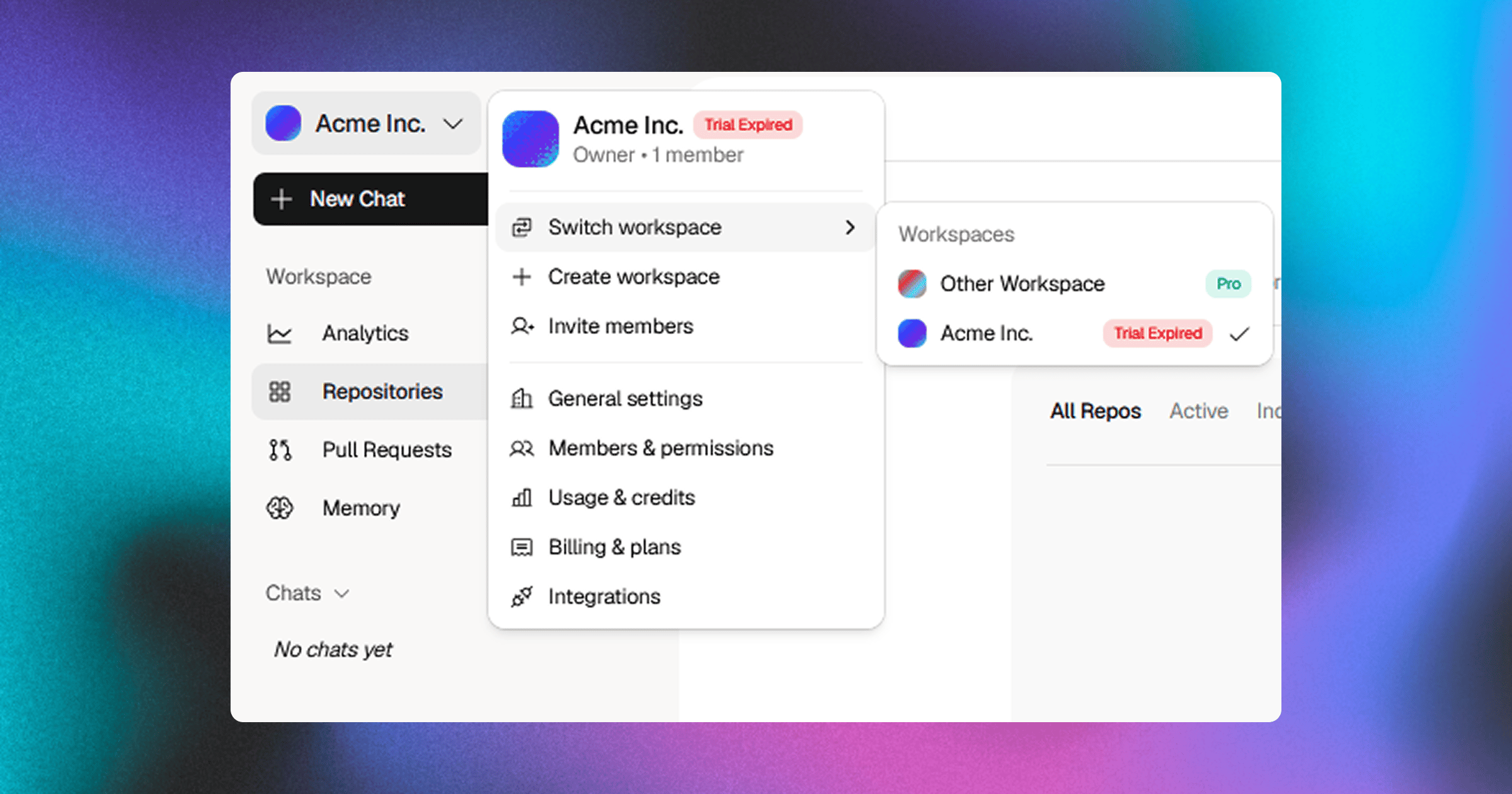 You can belong to multiple workspaces (e.g., personal side projects, client organizations, and your primary company workspace) under a single Blame user account.
1. **Open the Workspace Switcher:** Click the workspace selector dropdown in the top-left corner of the sidebar navigation.
2. **Select Target Workspace:** Click on any workspace in the list. Your current view, active repositories, chat history, and permissions will immediately switch context.
3. **Create a New Workspace:** To create an additional isolated environment, click **Create Workspace** from the dropdown menu, provide a name, and complete setup.
***
## Next Steps
* [**Workspace Settings**](/workspace-settings) — Learn how to customize workspace names, logos, invite defaults, transfer ownership, or delete workspaces.
* [**Managing Members**](/managing-members) — Invite team members, assign RBAC roles, and manage pending invites.
You can belong to multiple workspaces (e.g., personal side projects, client organizations, and your primary company workspace) under a single Blame user account.
1. **Open the Workspace Switcher:** Click the workspace selector dropdown in the top-left corner of the sidebar navigation.
2. **Select Target Workspace:** Click on any workspace in the list. Your current view, active repositories, chat history, and permissions will immediately switch context.
3. **Create a New Workspace:** To create an additional isolated environment, click **Create Workspace** from the dropdown menu, provide a name, and complete setup.
***
## Next Steps
* [**Workspace Settings**](/workspace-settings) — Learn how to customize workspace names, logos, invite defaults, transfer ownership, or delete workspaces.
* [**Managing Members**](/managing-members) — Invite team members, assign RBAC roles, and manage pending invites.